Need Professional Bookkeeper? Book Schedule Now

Finance managers comparing Xero and QuickBooks dashboards on dual monitors

Xero vs QuickBooks Australia: Which Accounting Platform Is Better for Your Business in 2026?

May 25, 20269 min read

Accounting Software, Xero vs QuickBooks, Australian Business

Xero vs QuickBooks Australia: Which Accounting Platform Is Better for Your Business in 2026?

Choosing between Xero and QuickBooks Online in Australia is no longer a simple price comparison. In 2026, both platforms offer mature cloud accounting software, AI‑enhanced reporting, and deep ecosystems. The real question is which system better fits your operations, workflow, and growth plans.

Cloud Accounting Software: Foundation for Modern Finance Operations

Both Xero and QuickBooks Online (QBO) are true cloud accounting platforms, giving you browser and mobile access to real‑time data. However, there are important differences in how they approach cloud infrastructure, compliance, and day‑to‑day usability for Australian businesses.

Data hosting, security and Australian compliance

Xero hosts data on AWS in Sydney and complies with ISO 27001 and SOC 2 Type II standards, giving Australian organisations confidence around data sovereignty and information security (softwarehq.com.au). QBO’s data hosting location is less transparent, which may be a consideration for government suppliers, regulated industries, or businesses with strict data‑location policies (softwarehq.com.au).

Both systems support direct BAS lodgement via Standard Business Reporting (SBR) and are Single Touch Payroll (STP Phase 2) compliant. Xero is also rolling out support for Payday Super ahead of the July 2026 deadline, while QBO’s Payday Super readiness is less clearly defined and may rely on extra configuration or add‑ons (softwarehq.com.au).

Everyday cloud experience and mobile access

Xero is widely praised for a clean, consistent interface and intuitive mobile app, particularly by Australian bookkeepers and SMEs (365bookkeepingandbas.com.au). QBO, by contrast, has a modular dashboard that some users find powerful but visually busy. With the 2026 “modern experience” rollout, QBO has introduced AI‑driven workflows and faster reporting, but user sentiment still often describes it as more cluttered than Xero, especially on iOS (reddit.com).

Key Takeaway: If local data hosting, straightforward navigation, and a polished mobile experience are priorities, Xero currently holds an edge for Australian organisations.

Progress Invoicing and Project‑Based Billing

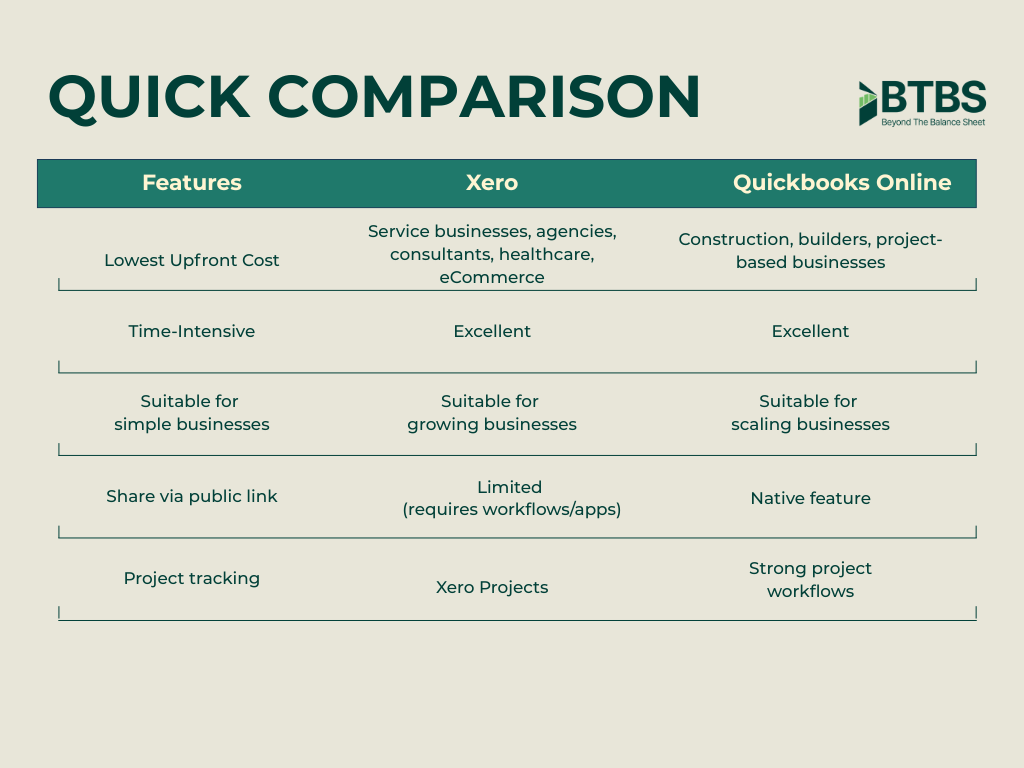
For agencies, construction, consulting, and other project‑based industries, progress invoicing is often non‑negotiable. Both Xero and QBO support staged billing, but they do so in different ways and at different price points.

Xero: Integrated projects in higher tiers

Xero’s Comprehensive and Ultimate plans (A$100–A$130/month) include Xero Projects, enabling you to track time, costs, and profitability at a job level. You can raise invoices based on milestones, time, or percentage of completion, and connect these directly to project budgets. For many professional services firms, this provides a streamlined way to manage WIP, recoverability, and margin in one place (softwarehq.com.au).

QuickBooks Online: Strong progress invoicing and inventory for product‑based work

QBO’s Plus plan (A$77/month) includes robust progress invoicing and inventory tools, making it particularly attractive for product‑based SMEs and trades that need to manage stock alongside project billing (inspirepreneurmagazine.com). You can convert estimates to partial invoices, track remaining balances, and align billing with job stages. Combined with the new modern invoicing experience and AI‑powered “digital teammates,” QBO can accelerate quote‑to‑cash cycles for operationally disciplined teams (quickbooks.intuit.com).

Pro Tip: When comparing progress invoicing, map a real project from your business—proposal to final payment—inside each platform’s trial. This reveals workflow friction that feature lists often hide.

Financial Visibility and Reporting: From Compliance to Decision Support

In 2026, both platforms are investing heavily in AI‑driven analytics. The difference lies in how those tools surface financial visibility for owners and managers, not just accountants.

Xero: AI‑powered analytics and cash‑flow forecasting

Leveraging its acquisition of Syft, Xero has launched an enterprise‑grade analytics layer with custom dashboards, cash‑flow projections up to 180 days, what‑if scenario planning, and AI‑generated insights and summaries (xero.com). Benchmarks allow you to compare performance against similar businesses, and AI insights are embedded directly into dashboard widgets (central.xero.com).

For leadership teams, this translates into clearer financial visibility—not just historical P&L, but forward‑looking indicators of cash, profitability, and business health, all within the same ecosystem.

QuickBooks: Intuit Intelligence and tax‑centric analytics

QuickBooks has rolled out Intuit Intelligence, a conversational AI layer that lets you ask questions such as “How’s my cash flow this month?” or “Show my overdue invoices from 2025,” and receive visual insights and recommendations (quickbooks.intuit.com). Intelligence Analytics (beta) focuses heavily on surfacing patterns and helping identify overdue receivables, expense trends, and potential savings.

For tax‑driven decision‑making, the Deduction Maximizer within Business Tax Agent (beta) can uncover up to 58% more potential deductions by continuously scanning your data (quickbooks.intuit.com). This is compelling for sole traders and smaller operators who want to maximise after‑tax outcomes with minimal manual analysis.

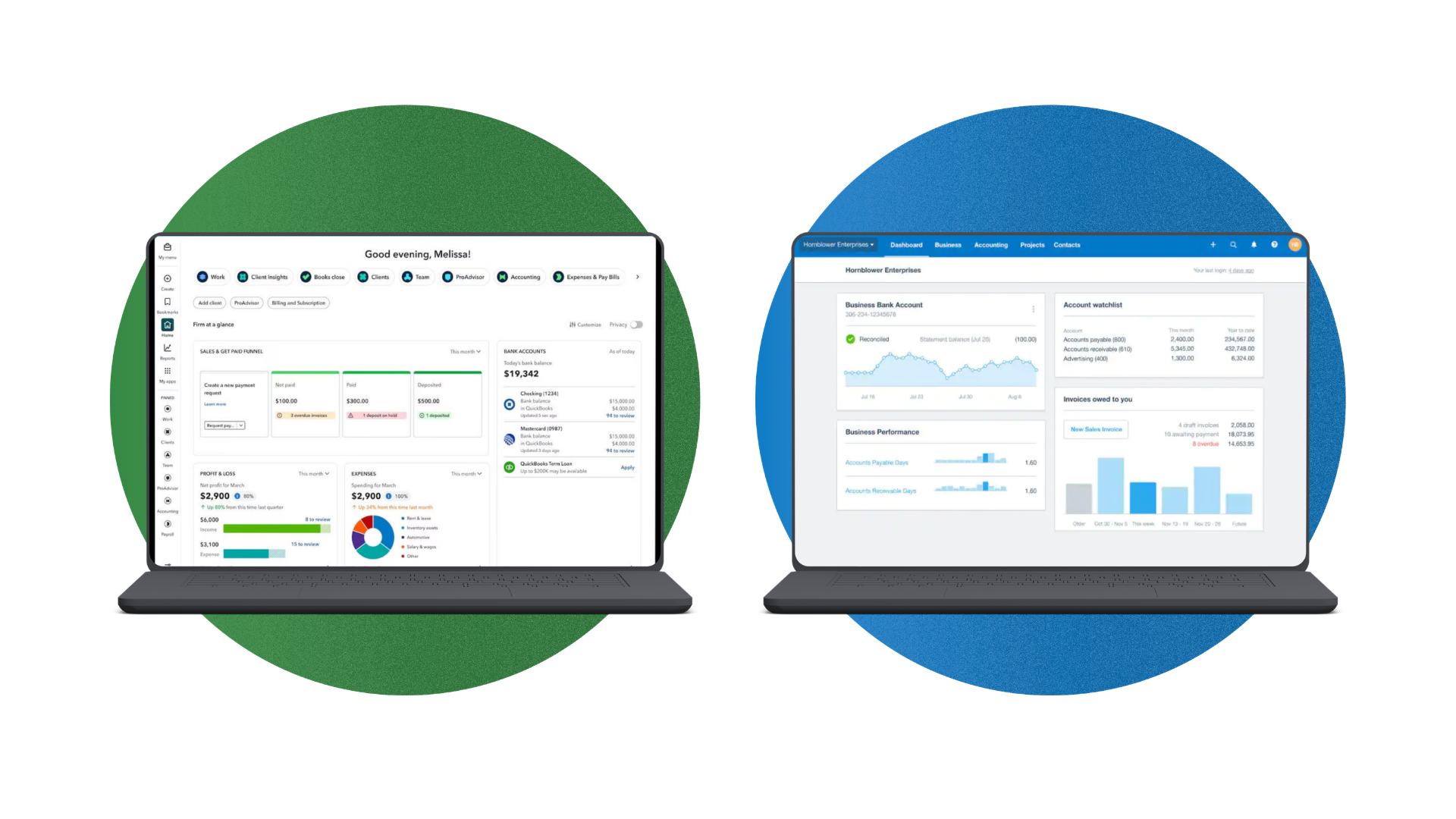
Side by side comparison of Xero analytics and QuickBooks AI insights on a laptop

AI‑driven dashboards in both systems turn raw numbers into practical decision support.

Suitability for Small Business Accounting in Australia

Most Australian SMEs want three things from accounting software: compliance handled, cash flow visible, and admin time minimised. Both platforms can deliver this, but they target slightly different segments of the small‑business market.

Xero: Strong fit for growing SMEs and advisor‑led businesses

Xero is the dominant choice among Australian accountants, with around 60–68% of advisors preferring it (inspirepreneurmagazine.com). Payroll is included across plans, and user numbers are effectively unlimited, which keeps costs predictable as your team grows (stackpick.com.au). For SMEs that work closely with local accountants or outsourced CFOs, this advisor preference often translates into smoother collaboration and lower advisory fees.

With plans ranging from A$35 to A$130 per month, Xero scales comfortably from micro‑business to multi‑entity groups, while retaining a consistent user experience across tiers (softwarehq.com.au).

QuickBooks: Attractive for sole traders and cost‑sensitive micro‑businesses

QBO’s entry‑level pricing (A$33/month for Simple Start, often discounted to around A$16.50 for the first three months) makes it appealing for sole traders and micro‑businesses wanting a low‑cost, easy on‑ramp (softwarehq.com.au). For small product‑based operations that need inventory and project tools, the Plus plan offers strong capability at a competitive price point.

Key Takeaway: For advisor‑led, growing SMEs, Xero is often the default recommendation. For early‑stage, price‑sensitive businesses, QuickBooks’ lower entry cost can be compelling.

Suitability for Project‑Based Industries and Agencies

Agencies, consultancies, construction firms, and professional services businesses need more than simple invoicing. They require visibility over WIP, utilisation, recoverability, and project‑level profitability.

  • Xero Projects suits service‑heavy businesses that bill primarily for time and deliverables. Integrated timesheets, expenses, and project budgets help leadership teams understand which clients and service lines drive margin.

  • QBO Plus is strong where projects intersect with inventory or materials. Trades, light manufacturing, and product‑based agencies often appreciate having stock, purchase orders, and progress invoices within one environment (inspirepreneurmagazine.com).

For more complex project environments, both platforms rely on integrations with specialist tools (for example, Xero with WorkflowMax alternatives or project management suites, QBO with construction and job‑costing apps). In these cases, ecosystem flexibility and integrations become more important than native features alone.

Aligning Your Platform with Business Operations and Workflow Simplicity

The best accounting software is the one that matches how your business actually runs. Misalignment between system design and operational reality is a common cause of re‑implementation costs and reporting blind spots.

Mapping operations to platform strengths

  • Service‑centric, advisor‑led SMEs: Xero’s clean workflows, strong bank feeds, and advisor ecosystem align well with businesses that prioritise accurate, timely accounts and collaborative planning with accountants (softwarehq.com.au).

  • Product‑based, inventory‑heavy SMEs: QBO Plus offers richer in‑platform inventory and cost‑of‑goods features, which can streamline operations for retailers, wholesalers, and trades (inspirepreneurmagazine.com).

  • International operations: QuickBooks has a broader global footprint and easier multi‑currency access across markets, which can benefit businesses with overseas subsidiaries or revenue streams (inspirepreneurmagazine.com).

Workflow simplicity and change management

Xero’s interface is generally regarded as simpler and more consistent, which reduces training time and the risk of errors—critical for lean internal finance teams (365bookkeepingandbas.com.au). QBO’s modern experience brings powerful AI tools, but the breadth of options and settings can feel overwhelming without clear internal processes.

Pro Tip: During trials, have non‑finance staff raise invoices, capture expenses, and run basic reports. Their feedback is often the best indicator of workflow simplicity.

Scalability, Integrations and Ecosystem Flexibility

As your organisation grows, your accounting system must scale with additional users, entities, and operational complexity. This is where ecosystem strength and integration options become decisive.

Xero: Broad app marketplace and advisor‑driven ecosystem

Xero offers more than 1,000 third‑party apps across POS, e‑commerce, payroll, project management, and reporting (softwarehq.com.au). Bank feed coverage spans the Big Four and over 50 additional institutions, giving strong coverage for most Australian businesses. Unlimited users across plans mean you can add managers, project leads, and advisors without revisiting licence counts as you scale (stackpick.com.au).

The high adoption rate among Australian accountants also adds ecosystem flexibility: you can change bookkeepers or advisors without needing to change platforms.

QuickBooks: Global reach, Open Banking transition, and firm‑focused tools

QBO supports around 750–800 apps—substantial, but smaller than Xero’s Australian ecosystem (forbes.com). Its 2026 shift to Open Banking feeds will improve connection stability and security, but requires businesses to proactively reconnect as legacy feeds are shut down between August and December 2026 (quickbooks.intuit.com).

For accounting firms, the new Intuit Accountant Suite (IAS) replaces QBO Accountant and introduces AI‑assisted workflow tools such as Books Close (beta), enabling standardised month‑end processes across clients (quickbooks.intuit.com). This can create operational advantages for firms that specialise in QBO and want to scale their practice efficiently.

User Experience and Operational Advantages in Daily Use

Beyond features, the lived experience of using each platform day‑to‑day has a direct impact on productivity, error rates, and the quality of financial decisions.

  • Xero UX: Clean layout, logical navigation, and strong bank reconciliation tools are frequently cited as reasons users prefer Xero, particularly for high‑volume transaction processing (reddit.com). AI‑enhanced analytics and integrations (including Xero–Claude) add further operational advantages for finance teams that want quick, narrative‑style insights (central.xero.com).

  • QBO UX: The 2026 modern experience focuses on speed and AI‑assisted workflows, with autosave, improved mobile invoicing, and conversational queries through Intuit Intelligence (quickbooks.intuit.com). However, some users still report a steeper learning curve and a sense of “clutter” compared with Xero.

Support models also differ. QBO provides phone and chat support, which some businesses value for urgent issues. Xero relies on online support and a callback service, supported by a large advisor community that often acts as the first line of help (softwarehq.com.au).

So, Which Is Better for Your Business?

There is no universal winner—only a better fit for your specific operations, growth plans, and internal capabilities. However, current market data and user sentiment in Australia suggest some clear patterns.

  • Choose Xero if you are a growing Australian SME working closely with local accountants, value a clean interface and strong bank feeds, and want extensive app integrations with unlimited users. It is particularly strong for service‑based and project‑based businesses that need clear financial visibility and advisor‑friendly workflows.

  • Choose QuickBooks Online if you are a sole trader or micro‑business seeking low entry pricing, or a product‑based SME that needs robust in‑platform inventory and progress invoicing, especially if you operate across multiple countries or are already invested in the broader Intuit ecosystem.

📌 Final Recommendation: Define your top five operational requirements (for example, project‑level reporting, inventory, advisor collaboration, or multi‑entity consolidation), then test both platforms against those scenarios in real workflows. The system that delivers the simplest, most scalable path to those outcomes is the right choice for your business.

In a landscape where both Xero and QuickBooks are rapidly innovating with AI and automation, the advantage will go to businesses that deliberately align their accounting platform with their operations, maintain workflow simplicity, and leverage integrations to build a flexible, scalable finance ecosystem.

Back to Blog

© 2026 Beyond The Balance Sheet | All Rights Reserved